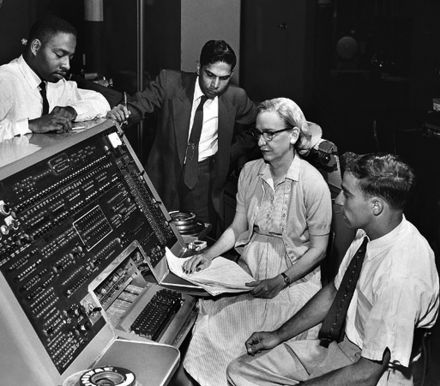
Grace Hopper developed the first compiler for a computer programming language.
Assignment 1: gem5 Basics and Performance Modeling
The purpose of this assignment is twofold. First, it will expose you to gem5, which we will use more heavily going forward (for both projects and assignment). Second, it will give you experience measuring performance on different systems, and comparing and contrasting those systems.
It is a modular platform for computer-system architecture research, encompassing system-level architecture as well as processor micro-architecture.
The goals of this assignment are to:
- Gain hands-on experience with gem5 simulation infrastructure
- Understand performance characteristics of different CPU models
- Develop intuition for benchmarking and performance analysis
- Analyze how CPU, cache, and memory configurations impact system performance
Academic Integrity. Adhere to the highest levels of academic integrity. Submit your work individually. Cite any sources that you have referred to. Also, state anyone who you may have discussed your approach with.
Step 0: Prerequisites
- Complete Lab0
- Complete gem5 tutorial
- Complete Slurm tutorial
Warning! Make sure you’ve completed the three tutorials before moving forward.
Github clone link
Use the following link to clone your assignment repository from GitHub Classroom: Github Clone Link
Check yourself
- Have you completed the gem5 lab
- Have you analyzed gem5 stats
- Have you read the learning gem5 book (Chapter 1)
- Read Chapter 1.4-1.8 H&P Book.
Step 1: Obtaining gem5
Use the preinstalled gem5 if your disk space quota is a problem for building gem5 This applies only to the labs and assignments. For final projects request extra quota and build the gem5 binaries yourself:
# gem5 comes preinstalled at /data/gem5-baseline
export M5_PATH=/data/gem5-baseline
Step 2: Compiling Benchmarks
In this assignment we will be using a set of microbenchmarks located in the microbenchmark/ folder of your repository. To compile these benchmarks do the following. Note that $REPO below here refers to the repository you have cloned into your machine.
$ cd $REPO
$ cd microbenchmark
$ make
Step 3: Running simulations with Timing CPU
Now, you will run your application in gem5 with the configuration script. We will be using the SimpleCPU (in-order timing CPU) and Inf memory model for this first run before introducing more detailed, realistics microarchitectures and memory systems.
$ export M5_PATH=/data/gem5-baseline
$ $M5_PATH/build/X86/gem5.opt \
    -re --outdir=$PWD/results/X86/run_micro/CCa/Simple/Inf \
    gem5-config/run_micro.py Simple Inf \
    microbenchmark/CCa/bench.X86
$ ls results/X86/run_micro/CCa/Simple/Inf/
- Read the top-level configuration script
gem5-config/run_micro.py - Read the base system set up
gem5-config/system.py
Pay attention to the following positional params that the run_micro script supports. You can see these set up here:
# gem5-config/run_micro.py:line 219
parser.add_argument('cpu', choices = valid_cpus.keys())
parser.add_argument('memory_model', choices = valid_memories.keys())
parser.add_argument('binary', type = str, help = "Path to binary to run")
| Params | Description |
|---|---|
| cpu | The type of CPU. The options are Simple, Minor4, DefaultO3, O3_W256, O3_W2K. The corresponding objects are declared. SimpleCPU, Minor4CPU, DefaultO3CPU, O3_W256CPU, O3_W2KCPU. These are created in the same file. Read how CPUs are set up. |
| memory_model | Inf, SingleCycle, Slow. The objects are created in system.py. Inf is a memory model that is infinitely large and has infinite bandwidth. SingleCycle is a memory system that completes memory operations in 1 cycle. Finally Slow is one that completes DRAM accesses in 100ns. This exposes the need for L1 and L2 caches. |
| binary | program to simulate using gem5 |
Here are the important objects in system.py. The baseline system definition. The CPUs are created in run_micro.py. If you do not understand the terms for TimingSimple, Minor etc.. complete gem5-lab. The CPUs objects derive from the base gem5 CPUs and modify the number of parameters and ports.
class SimpleCPU(TimingSimpleCPU):
    ...
class Minor4CPU(MinorCPU):
    ...
class O3_W256CPU(DerivO3CPU):
    ...
class O3_W2KCPU(DerivO3CPU):
    ...

# A really large 2000 instruction window OOO processor.
class O3_W2KCPU(DerivO3CPU):
    branchPred = BranchPredictor()
    fuPool = Ideal_FUPool()
    fetchWidth = 32
    decodeWidth = 32
    renameWidth = 32
    dispatchWidth = 32
    issueWidth = 32
    wbWidth = 32
    commitWidth = 32
    squashWidth = 32
    fetchQueueSize = 256
    LQEntries = 250
    SQEntries = 250
    numPhysIntRegs = 1024
    numPhysFloatRegs = 1024
    numIQEntries = 2096
    numROBEntries = 2096
This assignment examines how three core system components affect benchmark performance: the CPU, caches, and memory. Two factors make this analysis complex: first, each component affects performance differently depending on the application, so we must test each configuration across multiple benchmarks. Second, each component has multiple design parameters that must be configured.
Experiment 1: CPU vs Memory Model
In this experiment we are going to be varying both CPU and memory model to understand the importance of each for overall benchmark performance.
$ $M5_PATH/build/X86/gem5.opt gem5-config/run_micro.py --help
| Parameter | Options |
|---|---|
| CPU model | 5 options. Simple,Minor4,DefaultO3,O3_W256,O3_W2K |
| Memory model | 3 options. Inf, SingleCycle, Slow. |
| Benchmarks | CCa,CCl,DP1f,ED1,EI,MI |
| Total | 5x3x6 benchmarks. 90 simulations. |
To help you with these simulations we have provided two scripts launch.py and scripts.py. launch.py is a script that uses python multiprocessing library for launching multiple gem5 simulations. It takes a single parameter the number of cores to be used for the simulations. You can fork more simulations than number of cores; they just get serialized. Read here for python multiprocessing.
# Launch 8 simulations across 8 cores
# You should grab a slurm session and use
# the number of cores you grabbed as a parameter
# Students cannot grab more than 8 cores at-a-time.
# If you run without slurm we may kill your jobs
$ cd $REPO
$ export M5_PATH=/data/gem5-baseline
$ export LAB_PATH=$PWD
$ python3 launch.py 8
# Wait for jobs to complete.
# Check squeue to ensure your job is complete.
We have provided you an example configuration. Where we perform 1 CPU (Simple) x 3 memory models (Inf, SingleCycle,Slow) x Benchmarks simulation. This will multiple 15 simulations of the number of cores set in line 40:mp.Pool(args.N) and run them to completion. Note that launch.py waits for all simulations to complete. This will create a results/ . The organization of results is results/X86/run_micro/[Benchmark]/[CPU]/[MEM] for each if the simulation runs.
Plotting scripts
We have provided some basic plotting scripts to get started. We are using matplotlib. The function gem5GetStat extracts the user-specified stats from the stats.txt from each [Benchmark]/[CPU]/[MEM]. We insert this data info a panda frame line 58-60:plot/scripts.py and plot it. Store all your generated plots into the plots folder.
$ cd plots
$ python3 scripts.py
Report Generation
Include a PDF in your repo along with the plots/ folder. This file will contain your observations and conclusions from the experiment.
- Plot all the runs (you can use line or bar) and insert them into your markdown report. We have included a REPORT.md for convenience. You can convert markdown to pdf.
Note on report format: We suggest using markdown for writing your report. Here are some useful links for markdown.
Report
Answer the following questions in your report.
- Q1: What metric should you use to compare the performance between different system configurations? Why?
- Q2: Which benchmark was sensitive to CPU choice? Which benchmark was sensitive to memory model choice? Why? (Hint: Look at the code of these benchmarks)
Experiment 2: Cache vs CPU
In this experiment we will try to understand the importance of caches, locality and relationship with processor model.
- Vary the CPU model (Simple, O3_W256). Memory model: slow
- Try out 16 different L1-L2 cache configurations. Vary L1 cache [4KB,8KB,32KB,64KB], L2 cache [128KB,256KB,512KB,1MB]. Keep the block sizes and sets fixed (e.g. 128 for L1 and 2048 for L2) and vary the ways.
- Total: 2 x 4 x 4 = 32 simulations per benchmark.
Hint: you may want to add a command line parameter to run.py to set the cache configuration. The system.py already provides flags for setting the cache sizes (_L1cachesize and _L2cachesize).
Report
Answer the following questions in your report.
- Q3: Which CPU model is more sensitive to changes in cache size?
- Q4: Which benchmark is most sensitive to CPU model changes? Which benchmark is most sensitive to cache size changes?
- Q5: What is the best performing configuration for each benchmark? Why?
- Q6: What is the pareto optimal L1+L2 cache configuration for each benchmark. Plot a 2-D scatter plot comparing total cache size against performance normalized to a 4KB-128KB cache configuration.
Experiment 3: DRAM speed vs CPU
Simulate the following configurations.
Experiment 3.1:
| CPU Model | Frequency (GHz) | Memory |
|---|---|---|
| Simple | 1 | DDR3_1600_8x8 |
| Simple | 2 | DDR3_1600_8x8 |
| Simple | 4 | DDR3_1600_8x8 |
| Minor4 | 1 | DDR3_1600_8x8 |
| Minor4 | 2 | DDR3_1600_8x8 |
| Minor4 | 4 | DDR3_1600_8x8 |
Experiment 3.2:
| CPU Model | Frequency (GHz) | Memory |
|---|---|---|
| Simple | 4 | DDR3_2133_8x8 |
| Simple | 4 | LPDDR2_S4_1066_1x32 |
| Simple | 4 | HBM_1000_4H_1x64 |
| Minor4 | 4 | DDR3_2133_8x8 |
| Minor4 | 4 | LPDDR2_S4_1066_1x32 |
| Minor4 | 4 | HBM_1000_4H_1x64 |
You will change the CPU model, frequency, and memory configuration while testing other benchmarks.
DDR3_2133_8x8, which models DDR3 with a faster clock.LPDDR2_S4_1066_1x32, which models LPDDR2, low-power DRAM often found in mobile devices.HBM_1000_4H_1x64, which models High Bandwidth Memory, used in GPUs and network devices.
For Experiment 3.1, we vary the frequency & CPU model and keep the memory ram model fixed. In Experiment 3.2, we vary the memory model & CPU model while keeping the frequency fixed.
Hint: you may want to add a command line parameter to control the memory configuration. Check which provided memory model(Slow, Inf, SingleCycle) is capable of changing the underlying technology.
Report
- Q7: Which CPU model is more sensitive to changing the CPU frequency? Why?
- Q8: Which CPU model is more sensitive to changing the memory technology? Why?
- Q9: How does the benchmark influence your conclusion? Why?
- Q10: Compare each of the configurations in Experiment 3.2 with the one that matches the CPU type and frequency in Experiment 3.1 (i.e. the baselines in bold). Do you see any difference in performance? If so, why?
- Q11: Which result is more “correct”? If someone asked you which system you should use, which methodology gives you a more reliable answer?
Experiment 4: Region of Interest (ROI)
gem5 has support for annotating your binary with special “region of interest” (ROI) magic instructions. See
ROI commands interact with the gem5 simulator and let the underlying config know when the “REGION-OF-INTEREST” is reached in the application.
We have annotated your binary with ROI instructions. Remove them and re-run the comparison between MinorCPU at 1 and 2 GHz. To compile your annotated .cpp file, you need to make two changes to your gcc compilation command.
- Step 1: You will need to remove the
ROI_BEGINandROI_ENDcalls from the benchmarks - Step 2: Rebuild the benchmarks
- Step 3: You may also need to modify gem5-config/run_micro.py which controls the simulation. Previously when we hit
workbeginwe would continue onto the simulation. Now you will need to modify the script to stop simulation when the program exits since you will not hit any ROI. Look for theexit_eventchecks and modify to terminate simulation gracefully.
# If things are working correctly after you remove the ROI instruction:
$ $M5_PATH/build/X86/gem5.opt \
    -re --outdir=$PWD/results/X86/run_micro/CCa/Simple/Inf \
    gem5-config/run_micro.py Simple Inf \
    microbenchmark/CCa/bench.X86
Report
Add answers to the following questions to your report.
- Q12 Do you see a different result than before? If so, why?
- Q13 Which result is more “correct”? If someone asked you which system you should use, which methodology gives you a more reliable answer?
Submission and Grading
Check in your repo, along with REPORT.md, REPORT.pdf To receive point you have to check in all your plots and answers. You also need to include a README with instructions on which commands to run to generate results and plots. 100 points will be evenly divided amongst your questions.
Important: Please ensure your submission includes a README file with clear instructions, along with both REPORT.md and REPORT.pdf. Submissions missing any of these required files will receive a grade of zero.
Do not include the PDF in the archive, submit it as a separate file. You should submit it on Canvas
Common mistakes
- You build gem5 for one ISA, but built the benchmark for different ISA. Ensure same ISA for both.
fatal: fatal condition !process occurred: Unknown error creating process object.
Memory Usage: 2209384 KBytes
Grading criteria
- Please include relevant plots for each question to support your analysis. Submissions without appropriate visualizations will not receive credit. Note: Simply dumping raw data without analysis is not sufficient.
- The total assignment is worth a 100 points evenly split amongst the questions.
Acknowledgment
This assignment has been modified by Arrvindh Shriraman, Alaa Alameldeen, Mahmoud Abumandour. We thank the creators of gem5-art for providing the environment for script aids.